
How to Start Shopify Store Pakistan 2026 | Complete Setup Guide (Step-by-Step)
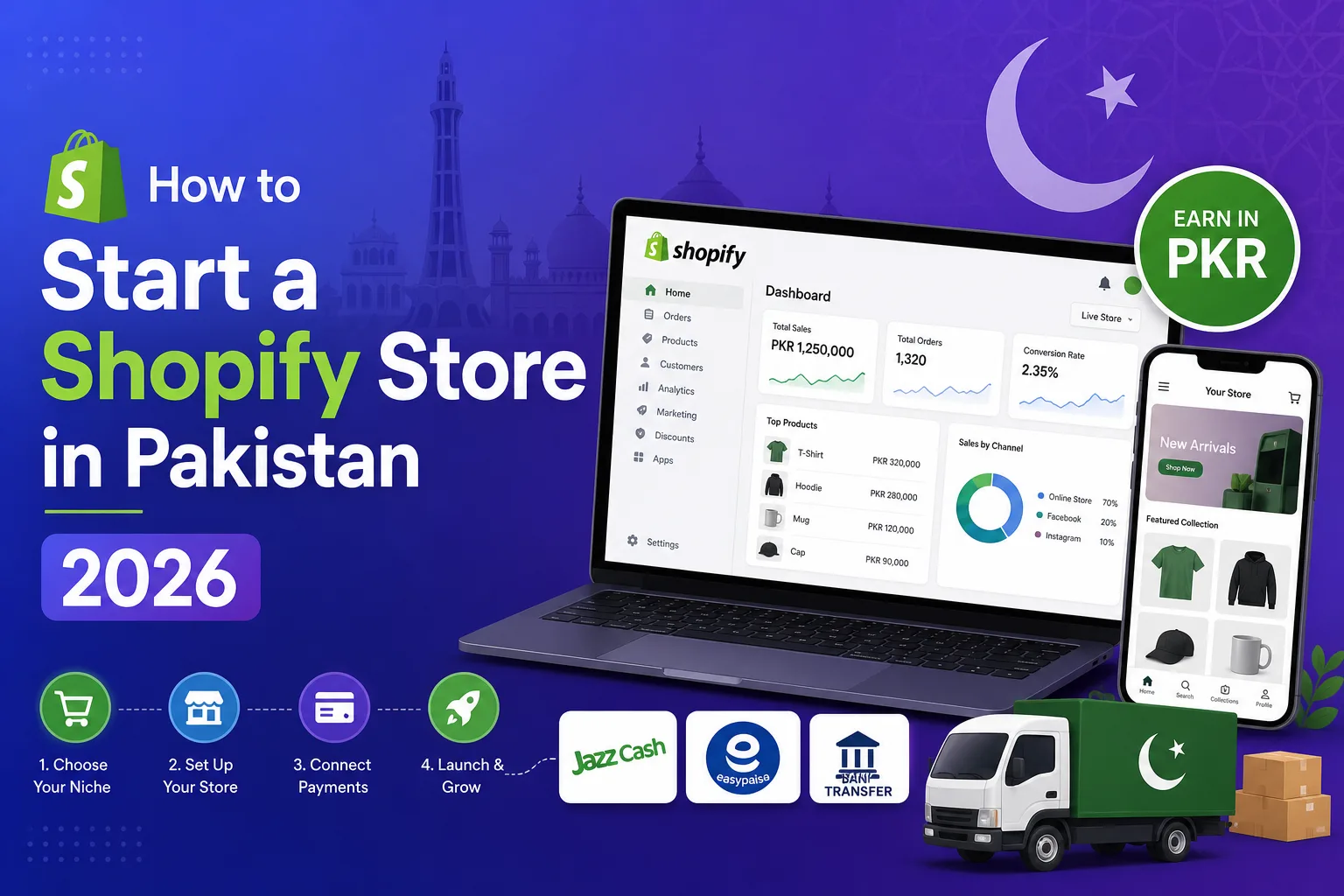
Table of Contents
How to Start Shopify Store Pakistan 2026: Complete Setup Guide
Want to start a Shopify store in Pakistan but confused about payments, shipping, and where to begin? You’re not alone. With 43,807 live Shopify stores already operating in Pakistan (growing 42% year-over-year), thousands of Pakistani entrepreneurs are launching on Shopify every month. But most guides skip the Pakistan-specific challenges: Which payment gateway actually works? How do you handle COD? What about shipping to tier-2 cities?
This is the complete guide to start a Shopify store in Pakistan in 2026. I’ll cover everything from choosing your plan to making your first sale—including the Pakistan-specific setup that international guides miss entirely. Whether you’re a clothing brand, electronics seller, or starting a dropshipping business, this guide works for you.
I’ve set up 50+ Shopify stores for Pakistani businesses and know exactly what works (and what wastes your time). For professional Shopify setup, visit my Shopify Development Services page. Now let’s get your store live.
Can You Use Shopify in Pakistan? (2026 Reality)
Yes — you can absolutely start a Shopify store in Pakistan. Shopify works worldwide, including Pakistan. However, there’s one important limitation: Shopify Payments is NOT available in Pakistan. This means you can’t use Shopify’s built-in payment processor and must use third-party payment gateways instead.
But don’t let this stop you. Over 43,800 Pakistani stores run on Shopify successfully using alternative payment methods. The platform works perfectly for everything else: store management, product listings, themes, apps, shipping, and marketing tools. For a detailed breakdown of payment options, read my guide on Shopify Payment Gateway Pakistan: JazzCash & EasyPaisa Integration.
What Works in Pakistan on Shopify
- Full store creation and customization
- Product management (unlimited products on most plans)
- Third-party payment gateways (JazzCash, EasyPaisa, bank transfer, COD)
- All Shopify themes (free and premium)
- Shopify App Store (6,000+ apps)
- Shipping label creation and tracking
- Marketing tools (email, SEO, social media integration)
- Mobile app for managing your store on the go
What Doesn’t Work in Pakistan
- Shopify Payments (must use third-party gateways)
- Shopify Shipping labels (use local courier apps instead)
- Shop Pay for customers (alternative wallets available)
How Much Does It Cost to Start Shopify Store in Pakistan?
Here’s the real cost breakdown to start a Shopify store in Pakistan in 2026:
| Expense | Cost (PKR) | Frequency | Notes |
|---|---|---|---|
| Shopify Basic Plan | PKR ~11,000 | Monthly | $39/month (most common for new stores) |
| Domain Name (.com) | PKR 2,500–5,000 | Yearly | .pk domains available for PKR 1,500 |
| Theme (Free) | PKR 0 | One-time | Dawn, Refresh, Sense are excellent free themes |
| Theme (Premium) | PKR 20,000–50,000 | One-time | Optional. Provides advanced features and design |
| Payment Gateway Setup | PKR 0–5,000 | One-time | UnumPay is free to install; PayFast has setup fee |
| Essential Apps | PKR 3,000–10,000 | Monthly | WhatsApp, SEO, reviews (many have free plans) |
| Logo & Branding | PKR 5,000–20,000 | One-time | Can use Canva for free basic logos |
| Total Month 1 (DIY) | PKR 15,000–30,000 | If you set up everything yourself | |
| Professional Setup | PKR 50,000–500,000 | One-time | Developer handles everything professionally |
For a complete cost analysis comparing all ecommerce platforms, read my detailed guide: Ecommerce Website Development Cost in Pakistan 2026.
Step 1: Choose Your Shopify Plan
Choosing the Right Plan to Start Shopify Store in Pakistan
Shopify offers multiple plans. Here’s which one you need:
| Plan | Monthly Cost | Best For | Key Features |
|---|---|---|---|
| Starter | $5/month | Selling via social media only | No full online store; sell via links, WhatsApp, Instagram |
| Basic | $39/month | New stores (RECOMMENDED) | Full online store, 2 staff accounts, basic reports |
| Shopify | $105/month | Growing stores with team | 5 staff accounts, better reports, lower transaction fees |
| Advanced | $399/month | High-volume stores | 15 staff, custom reports, lowest fees, duties & taxes |
My recommendation: Start with Basic ($39/month). It gives you everything needed to start a Shopify store in Pakistan including a full storefront, checkout, and product management. Upgrade later when your sales justify the cost. The $5 Starter plan doesn’t give you a proper online store—skip it unless you’re ONLY selling via WhatsApp/Instagram links.
Step 2: Create Your Shopify Account
Setting Up Your Account (5 Minutes)
- Go to shopify.com and click “Start free trial”
- Enter your email address (use a professional email if possible)
- Create a strong password
- Enter your store name (this becomes your initial URL: yourstore.myshopify.com)
- Answer the quick setup questions:
- “Are you already selling?” — Select your situation
- “What’s your current revenue?” — Be honest
- “What industry?” — Choose your product category
- Set your country to Pakistan
- Enter your business address (Lahore, Karachi, Islamabad, etc.)
Step 3: Choose & Customize Your Theme
Selecting the Right Theme for Pakistani Market
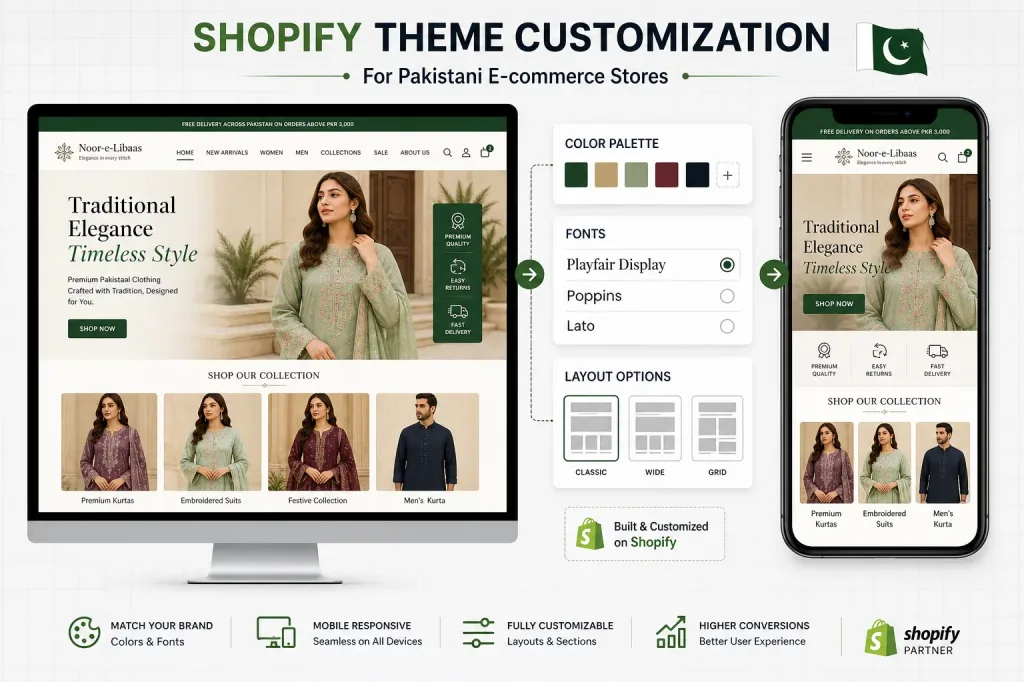
Your theme determines how your store looks. When you start a Shopify store in Pakistan, choose a theme optimized for mobile (70%+ of Pakistani shoppers browse on mobile).
Best Free Themes for Pakistani Stores
- Dawn — Shopify’s flagship free theme. Fast, clean, modern. Works for all product types.
- Refresh — Great for fashion and lifestyle brands. Beautiful product galleries.
- Sense — Perfect for health, beauty, and food products. Warm and inviting.
- Craft — Ideal for handmade and artisan products.
Theme Customization Checklist
- Upload your logo (recommended: 200x60px PNG with transparent background)
- Set brand colors (match your social media presence)
- Configure homepage sections: Hero banner, Featured products, Collections, Testimonials
- Set up navigation menu: Home, Shop, Collections, About, Contact
- Add announcement bar (“Free Delivery on Orders Above PKR 3,000”)
- Test on mobile — open your store on your phone and check every page
Step 4: Add Your Products
Product Listing Best Practices for Pakistan
Product listings make or break your sales. Here’s how to add products when you start a Shopify store in Pakistan:
For Each Product, You Need:
- Title — Clear, searchable name (e.g., “Premium Cotton Kurta – Navy Blue – Unstitched”)
- Description — Benefits first, then features. Include fabric, size, care instructions. Write in English (most Pakistani online shoppers prefer English product descriptions).
- Images — Minimum 4-5 images per product. White background + lifestyle shots. Use at least 1000x1000px resolution.
- Price — Set in PKR. Include a “Compare at” price if running discounts.
- Variants — Size, color, material options with individual pricing if needed.
- Inventory — Track quantities or set to “unlimited” for made-to-order products.
- SEO — Edit the page title and meta description for each product.
Step 5: Set Up Payment Gateways (Pakistan-Specific)
The Most Critical Step to Start Shopify Store in Pakistan
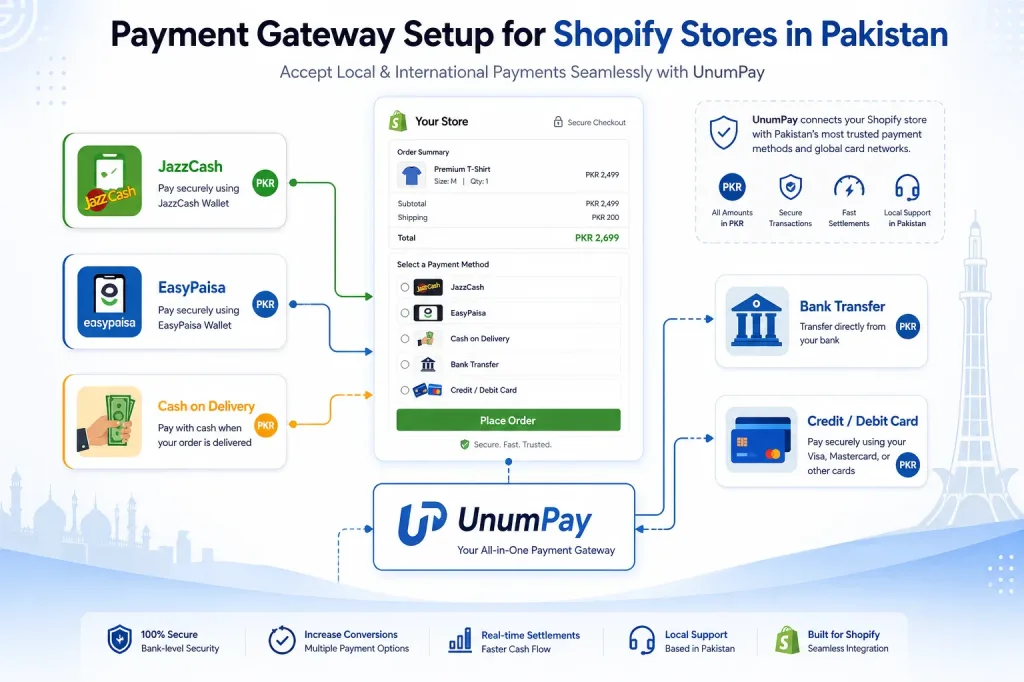
This is where most Pakistani Shopify sellers get stuck. Shopify Payments doesn’t work in Pakistan, so you need third-party solutions.
Payment Options for Shopify in Pakistan (2026)
| Payment Method | Supports | Fee | Setup Difficulty |
|---|---|---|---|
| UnumPay (Recommended) | JazzCash + EasyPaisa + Cards | 0.85% per transaction | Easy (Shopify app) |
| PayFast Pakistan | JazzCash + EasyPaisa + Bank | 2-3% per transaction | Medium |
| 2Checkout | International cards | 3.5% + $0.35 | Medium |
| Cash on Delivery | All customers | Free (courier fees apply) | Easy (manual payment) |
| Bank Transfer | Direct bank payment | Free | Easy (manual payment) |
How to Set Up UnumPay (Recommended)
- Go to Shopify App Store → Search “UnumPay”
- Install the app (free installation)
- Create UnumPay account and complete KYC verification
- Connect your JazzCash/EasyPaisa merchant account
- Configure payment methods to show at checkout
- Test with a small transaction
How to Enable Cash on Delivery (Essential for Pakistan)
- Go to Settings → Payments in your Shopify admin
- Scroll to “Manual payment methods”
- Click “Add manual payment method”
- Select “Cash on Delivery (COD)”
- Add instructions: “Pay cash when your order is delivered to your doorstep”
- Save
For the complete payment gateway setup guide with all options, read: Shopify Payment Gateway Pakistan: JazzCash & EasyPaisa Integration 2026.
Step 6: Configure Shipping for Pakistan
Shipping Setup for Pakistani Customers
Best Courier Services for Shopify Stores in Pakistan
| Courier | Coverage | COD Support | Rate (Approx) | Best For |
|---|---|---|---|---|
| TCS | All Pakistan (3,000+ locations) | Yes | PKR 200-350 | Reliability, nationwide reach |
| Leopards | All major cities + towns | Yes | PKR 150-300 | Good rates, COD support |
| BlueEx | Major cities | Yes | PKR 150-250 | Speed in metro cities |
| PostEx | All Pakistan | Yes | PKR 150-280 | Low COD return rates |
| CallCourier | Major cities | Yes | PKR 130-250 | Budget option |
Shipping Configuration in Shopify
- Go to Settings → Shipping and delivery
- Create a shipping zone: “Pakistan – All Cities”
- Add shipping rate:
- Option A: Flat rate — PKR 200 for all orders (simplest)
- Option B: Free shipping threshold — Free above PKR 3,000, PKR 200 below
- Option C: Weight-based — 0-0.5kg: PKR 150, 0.5-1kg: PKR 250, 1-2kg: PKR 350
- Install courier app (most Pakistani couriers have Shopify apps for automated booking)
Step 7: Install Essential Shopify Apps
Must-Have Apps to Start Shopify Store in Pakistan
| App Category | Recommended App | Cost | Why You Need It |
|---|---|---|---|
| WhatsApp Chat | WhatsApp Chat + Abandoned Cart | Free–PKR 2,500/month | Pakistani customers prefer WhatsApp over email for support |
| Reviews | Judge.me or Loox | Free–PKR 4,000/month | Social proof increases conversion by 15-30% |
| SEO | SEO Manager or Plug in SEO | Free–PKR 5,000/month | Optimize product pages for Google ranking |
| Abandoned Cart | Pushdaddy or Cartly | Free–PKR 2,500/month | Recover 10-15% of abandoned carts via WhatsApp/SMS |
| Courier Integration | TCS/Leopards Shopify App | Free–PKR 1,500/month | Auto-create shipments and track orders |
| Upsell/Cross-sell | Frequently Bought Together | Free–PKR 2,500/month | Increase average order value by 20-35% |
| COD Confirmation | Kaarobot or COD Confirmer | PKR 2,000-5,000/month | WhatsApp confirmation reduces COD returns by 40-70% |
Step 8: Test & Launch Your Store
Pre-Launch Checklist
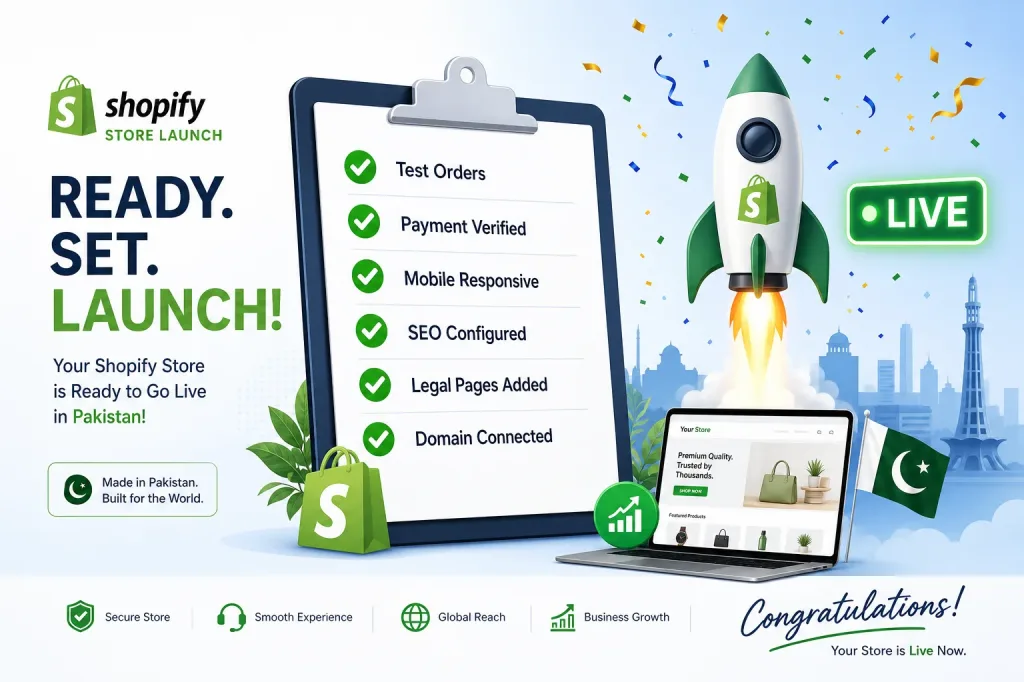
Before you go live with your Shopify store in Pakistan, complete this checklist:
Technical Testing
- Place a test order with each payment method (COD, JazzCash, bank transfer)
- Verify order confirmation emails are sent
- Check order appears correctly in admin dashboard
- Test on mobile (Android AND iPhone)
- Verify shipping rates calculate correctly
- Check all product pages load properly (images, variants, descriptions)
Content & Legal
- Add Privacy Policy page (Shopify can generate a template)
- Add Refund/Return Policy page (critical for Pakistani market — be clear about COD returns)
- Add Shipping Policy page (delivery timeframes to major cities)
- Add Terms of Service page
- Add About Us page (builds trust — essential for new Pakistani stores)
- Add Contact page with WhatsApp number prominently displayed
Launch Steps
- Connect your custom domain (Settings → Domains → Buy or Connect)
- Remove the password protection (Online Store → Preferences → uncheck “Restrict access”)
- Submit your sitemap to Google Search Console
- Set up Facebook Pixel for ad tracking
- Announce on your social media channels
How to Get Your First Customers in Pakistan
Your store is live — now how do you get sales? Here’s what works for Pakistani Shopify stores:
1. Facebook & Instagram Ads (Primary Channel)
60-70% of Pakistani ecommerce sales come from social media ads. Start with:
- Budget: PKR 1,000-2,000/day for testing
- Ad type: Video or carousel showing your product
- Target: Pakistan, ages 18-45, interests related to your product
- Landing page: Direct to product page (not homepage)
- Expected results: PKR 150-500 per purchase at scale
2. WhatsApp Marketing (Free & Powerful)
- Add WhatsApp button on your website (floating chat widget)
- Build a broadcast list from Day 1
- Send new arrival alerts and flash sales
- Use WhatsApp Status for daily product showcases
3. Instagram Organic Content
- Post product reels (30-60 seconds showing product in use)
- Share customer unboxing videos
- Post behind-the-scenes content (packaging, new arrivals)
- Use relevant Pakistani hashtags
4. Google SEO (Long-Term Free Traffic)
- Optimize product titles for search (e.g., “Buy Premium Cotton Kurta Online Pakistan”)
- Write blog posts about your niche
- Build backlinks from Pakistani directories and blogs
- Results appear in 3-6 months but then provide free ongoing traffic
5. Influencer Collaborations
- Partner with micro-influencers (5K-30K followers) for PKR 5,000-15,000 per post
- Send free products for honest reviews
- Create affiliate codes for influencers (they earn commission per sale)
5 Mistakes Pakistani Shopify Sellers Make
After helping 50+ businesses start Shopify stores in Pakistan, these are the mistakes I see repeatedly:
1. Not Enabling COD
40%+ of Pakistani online shoppers prefer Cash on Delivery. Launching without COD means losing almost half your potential customers. Always enable it, but pair with WhatsApp confirmation to reduce fake orders.
2. Slow Store Speed
Installing 15+ apps, using unoptimized images (5MB product photos), and choosing heavy themes kills your conversion rate. Pakistani mobile users on 4G expect pages to load in under 3 seconds.
3. No WhatsApp Integration
In Pakistan, WhatsApp IS customer service. If customers can’t message you on WhatsApp from your store, they’ll leave and buy from someone who offers it. Add a floating WhatsApp button on every page.
4. Poor Product Photography
Using supplier photos or dark, blurry images. Pakistani customers are visual buyers — invest in clean product photos. Even a white bedsheet background with natural light produces better results than professional studios with bad lighting.
5. Launching Without Testing Payment Flow
Many sellers go live without placing a single test order. Then they discover JazzCash isn’t working, COD isn’t showing at checkout, or confirmation emails aren’t sending. Always test EVERY payment method before announcing your store.
Professional Shopify Store Setup Service
If you’d rather have an expert handle the technical setup while you focus on products and marketing, here’s what professional Shopify development includes:
What You Get
- Complete store setup — Theme customization, navigation, branding, mobile optimization
- Payment gateway integration — JazzCash, EasyPaisa, COD, bank transfer configured and tested
- Shipping configuration — Courier integration, automated tracking, shipping zones
- Product upload — Properly formatted with SEO-optimized titles, descriptions, and images
- Essential app setup — WhatsApp, reviews, SEO, abandoned cart recovery
- Speed optimization — Image compression, code optimization, fast loading
- Training — 1-hour session on managing your store (adding products, processing orders)
- 30 days support — Post-launch bug fixes and assistance
Investment
- Basic Store Setup: PKR 50,000–80,000 (1-2 weeks)
- Professional Store: PKR 80,000–200,000 (2-3 weeks)
- Advanced Custom Store: PKR 200,000–500,000 (3-6 weeks)
Not sure if you need a developer? Read my comparison: Shopify vs WooCommerce Pakistan 2026 to decide which platform fits your needs.
Want a Professional Shopify Store Without the Hassle?
Frequently Asked Questions
Can I start a Shopify store in Pakistan?
Yes! Over 43,800 Shopify stores are already operating in Pakistan. While Shopify Payments isn’t available, third-party gateways (JazzCash, EasyPaisa via UnumPay, COD) work perfectly. You can start a Shopify store in Pakistan today and have it live within a week.
How much does it cost to start Shopify store in Pakistan?
DIY: PKR 15,000-30,000 for the first month (Shopify plan + domain + basic setup). Professional setup: PKR 50,000-500,000 one-time. Monthly running cost after launch: PKR 15,000-40,000 including Shopify subscription, apps, and hosting.
Which payment gateway works with Shopify in Pakistan?
UnumPay (recommended — connects JazzCash, EasyPaisa, and cards at 0.85% per transaction), PayFast Pakistan, 2Checkout for international cards, and manual methods (COD, bank transfer). See my complete guide: Shopify Payment Gateway Pakistan.
How long does it take to set up a Shopify store?
DIY basic store: 3-7 days. Professional setup: 1-3 weeks. Advanced custom store: 3-6 weeks. The fastest way to start a Shopify store in Pakistan is hiring a developer to handle technical setup while you prepare products and marketing.
Is Shopify profitable in Pakistan?
Yes. Pakistani Shopify stores generate PKR 100,000 to PKR 5,000,000+ monthly with proper product selection and marketing. The platform’s 42% year-over-year growth in Pakistan proves its profitability. Success depends on niche selection, ad strategy, and customer experience.
Do I need a developer to start a Shopify store?
Not for a basic store — Shopify is designed for non-technical users. But professional help is recommended for payment gateway integration, custom design, shipping automation, and SEO optimization. A Shopify developer saves weeks of trial-and-error and ensures correct setup from day one.
Which courier service is best for Shopify stores in Pakistan?
TCS (most reliable, nationwide), Leopards (good rates), BlueEx (fast in cities), PostEx (low COD returns), CallCourier (budget). Use 2-3 couriers based on destination. Most courier services have Shopify apps for automated order booking.