
How to View Cached Version of Website (2026 Guide)
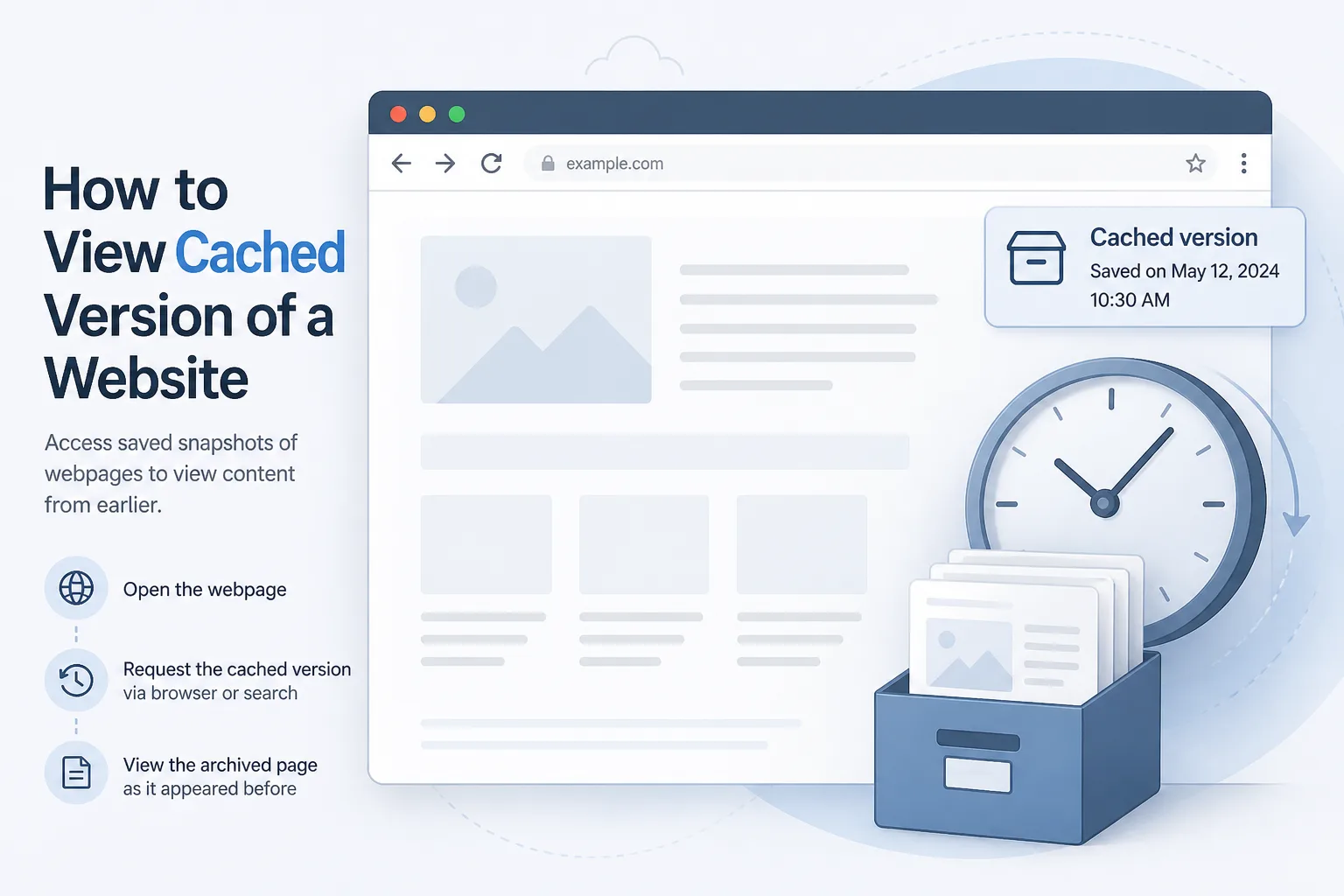
Table of Contents
To view cached versions of website content when the live URL is down, paste the address into the Wayback Machine, try Bing’s cache: operator, or open a snapshot on archive.today. Google’s old “Cached” link is gone. Your browser cache only helps for pages you’ve already visited. These copies show cached HTML (sometimes images) — not a full database.
The live site returns an error. The product page vanished. A client swears the old About page copy was “right there yesterday.” You need to view the cached version of website pages right now, not a theory lecture on caching.
This guide walks through exactly how to view cached version of website content using public archives, search-engine remnants, and your own browser — plus what those copies can’t do.
Cache vs Live: What You're Actually Looking At

Source | What you get | Freshness | Best for |
Live site | Current HTML, APIs, login | Now | Normal browsing |
Search-engine cache (legacy) | Last crawl copy | Hours to weeks (when it existed) | Quick “what Google last saw” |
Wayback / archive.today | Dated snapshots | Days to years | History and recovery |
Your browser | Pages you loaded | Until cache eviction | Offline personal copy |
A cached page is a photograph of markup, not a live backup. Forms, carts, and member dashboards usually fail to load properly. JavaScript-heavy apps may render as an empty shell. That’s normal — a cache copy is a snapshot in time, not an editable backup of the whole site.
Expert insight: If the original site blocked crawlers or never got archived, public caches may come up empty even if the page once ranked well.
Step-by-Step: How to View Cached Version of Website Pages When They’re Offline
Work through this list in order — the first hit is usually enough.
Quick checklist:
- Copy the exact URL (including https:// and the trailing path)
- Try the Wayback Machine
- Try archive.today / archive.ph
- Try Bing’s cache:URL search
- Check Google’s “About this result” for an Internet Archive link (if the URL still ranks)
- Check your own browser only if you visited the page recently
- Save or print the snapshot before it disappears
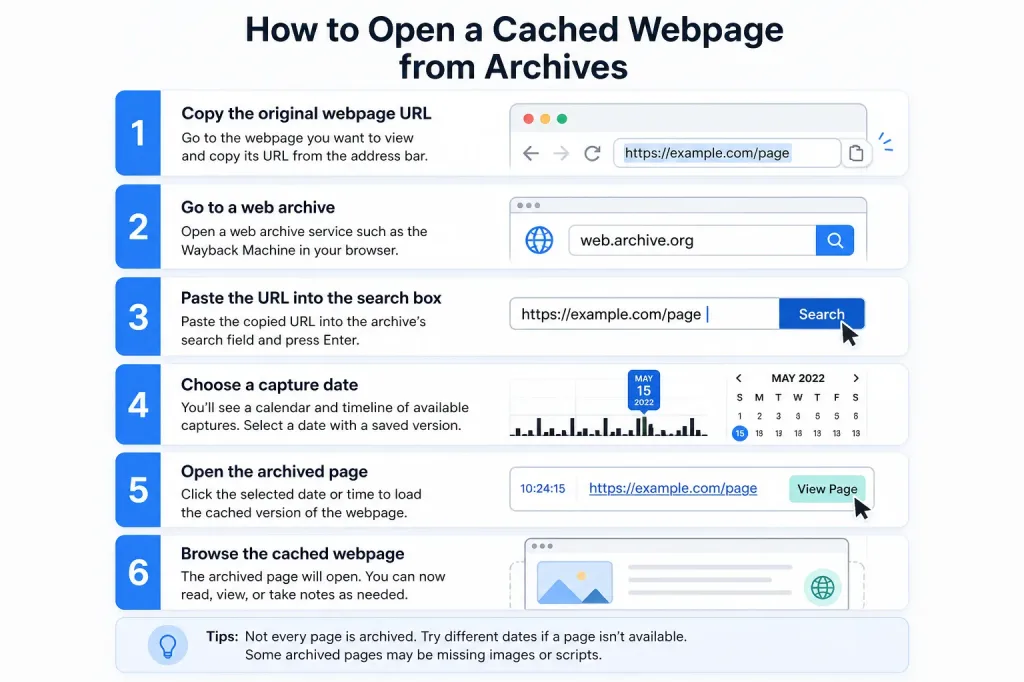
1. Internet Archive (Wayback Machine)
- Open web.archive.org.
- Paste the URL.
- Pick a date on the calendar (blue dots mark available captures).
- Open the snapshot — if the CSS is missing, try an earlier or later capture.
Wayback is the default way to view old versions of websites. Coverage is uneven: popular marketing pages are usually well archived; obscure admin URLs often aren’t.
2. archive.today (archive.ph / archive.is)
Paste the URL. If a snapshot already exists, open it. If not, request a new capture while the live site is still loading — this is the fastest “save it now” move before a planned takedown.
3. Bing Cache
In Bing, search:
If Bing still holds a copy, you’ll see a header confirming you’re viewing a cached page. This is one of the last search-engine shortcuts left, now that Google has dropped its own cache viewer.
4. Google Search Remnants
You can no longer rely on the cache: operator in Google. If the result still appears in search:
- Click the three dots next to the result.
- Open “More about this page.”
- Follow the Internet Archive / Wayback link when Google shows one.
That’s an archive hop, not Google’s own cache; the old Cached link is officially gone.
5. Your Browser’s Copy
Modern Chrome no longer offers a browsable chrome://cache page. You can inspect Cache Storage (used by service workers) and see “from disk cache” in DevTools — useful for assets you already loaded, weak for a site you never opened.
How to Recover Deleted Web Pages
People often search for a way to recover deleted web pages hoping for a full time machine. Archives can recover public HTML. They can’t recover:
- WordPress or database posts that were never crawled
- Checkout, account, or API JSON data
- Uploaded files sitting behind a login
- Comments stored only in a MySQL database
If you own the site:
- Check hosting file backups and database dumps first.
- Use Search Console’s URL Inspection tool to see what Google last fetched.
- Fall back on public archives for copy and screenshots.
If you don’t own the site, you’re limited to snapshots and search snippets. Save what you find — don’t assume the next crawl will keep it around.
When a Cached Page Looks “Broken”
Symptom | Likely Cause | What To Try |
Unstyled layout | CSS/CDN wasn’t archived | Try an older snapshot; disable broken scripts |
Blank app shell | Client-rendered JavaScript | View page source; try archive.today instead |
Soft 404 in archive | Site returned an error on crawl day | Pick a different calendar date |
Partial images | Hotlinking or robots rules blocked them | Download what loaded; take a screenshot |
Pros, Cons, and Common Mistakes
Pros: works even when the origin site is completely dead, gives you a dated record for disputes, and is free for most lookups.
Cons: coverage gaps are common, interactivity usually breaks, copyright still applies, and site owners can request snapshot removals.
Common mistakes to avoid: don’t search only the homepage when you actually need /pricing/; don’t trust the newest snapshot if it happened to capture an error page; and don’t treat a cached copy as a full backup — archive a working URL before any redesign, not after.
When a client’s page dies mid-campaign: save archive.today first if it still loads, pull two or three Wayback dates, screenshot the HTML, then restore from a CMS backup if one exists. Caches buy you time — they don’t replace proper hosting and backups.
For a deeper look at how the Wayback Machine actually collects and stores snapshots, see the Internet Archive’s own documentation.
Need help? Stuck on a dead URL with no snapshot anywhere? Send us the link and we’ll tell you which archive path is still worth trying. When the origin itself needs a durable fix, custom web development is the real solution — not another cache lookup.
That’s the practical way to view cached versions of website content in 2026, without waiting for the original page to come back online.
Need a second pair of eyes on a dead URL—or a plan to stop the next outage from wiping your public pages?
Frequently Asked Questions
Q: How do I view a cached version of a website that’s offline?
A: Paste the URL into the Wayback Machine, then try archive.today, then Bing’s cache: search. Google’s Cached link is gone, so public archives are now your main option.
Q: Can I view cached pages if I never visited the site myself?
A: Yes — as long as a crawler archived them. Your own browser only stores pages you personally loaded.
Q: Is a cached version of a webpage the same as a backup?
A: No. A cache snapshot is public HTML (sometimes images). A real backup includes databases, media files, and configuration.
Q: How do I recover deleted web pages I used to rank for?
A: If you own the site, check hosting backups plus Search Console. If you don’t, rely on Wayback, archive.today, and search snippets.
Q: Why is there no cached copy available?
A: The page may be too new, blocked by robots.txt, marked noarchive, never popular enough to get crawled, or removed after a takedown request.
Q: Can I use a cached page as legal proof?
A: Archives can support a timeline, but they aren’t a notarized record. Screenshot the page, note the capture URL and timestamp, and get legal advice for actual disputes.
Q: Does Chrome still show a full site cache?
A: Not as a browsable chrome://cache list anymore. DevTools shows service-worker Cache Storage and whether assets loaded from disk or memory cache. To view cached versions of website content when the live page is down, deleted, or changed, you don’t need to panic — you need the right tool, in the right order.